Accessing Platform
Sign In to the Platform
- Enter the URL provided in the browser. Platform Login screen appears.
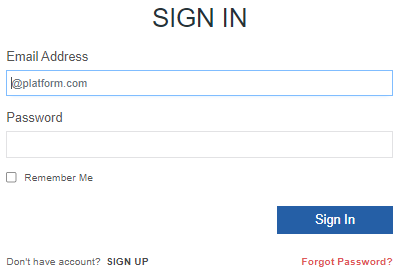
- Enter your Email Address and Password.
- Enter the displayed captcha in the Text Verification box. (Click Refresh icon near the captcha to get a new captcha)
- Select Remember Me for browser to remember your username credentials.
- Click Sign In.
During the first-time sign in, Change Password screen appears after successful sign in.
For consecutive sign in, platform home page appears.
Change Password
When you sign in for the first time, the UI prompts to change the password.
Change Password
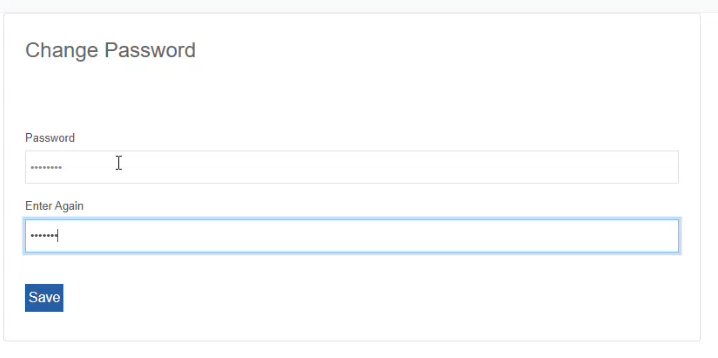
| Field | Description |
|---|---|
| Password | Enter a new password. Refer to Password Requirements. |
| Enter Again | Enter the password again. |
- Click Save. The new password is saved. Now, sign in with your registered email address and new password.
Password Requirements
Always use a strong password with all the password characteristics to secure your account.
Characters allowed: Alphanumeric, special characters, symbols
Minimum Length: 8 Characters
Maximum Length: 50 Characters
Minimum requirement: Must include 1 uppercase alphabet, 1 lowercase alphabet, 1 number, 1 special character.
Not allowed: space, slash, dot
Resetting Password (Forgot Password)
If you forget your password, reset password.
- In the Sign In screen, click Forgot Password? below the Sign In button.
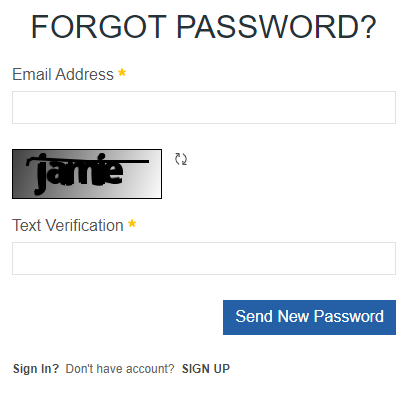
- Enter your registered Email Address.
- Enter the displayed captcha in the Text Verification box. (Click Refresh icon near the captcha to get a new captcha).
- Click Send New Password. An email is sent to your resgistered email address with a link to reset password.
- Click the reset link in the email.
- Enter a new password and enter password again for confirmation.
- Click Ok. Your password is now reset to new password.
After resetting the password, sign in with the new password and the email address.
Exiting the Platform
- Click the user icon on the top-right of the title bar.
- Click Sign Out.