Document Ingestion Dashboard
Document ingestion dashboard allows you to visualize the ongoing document ingestion activities and the current document ingestion details for the logged in user.
Go to Main Menu > GenIQ > Document Ingestion.
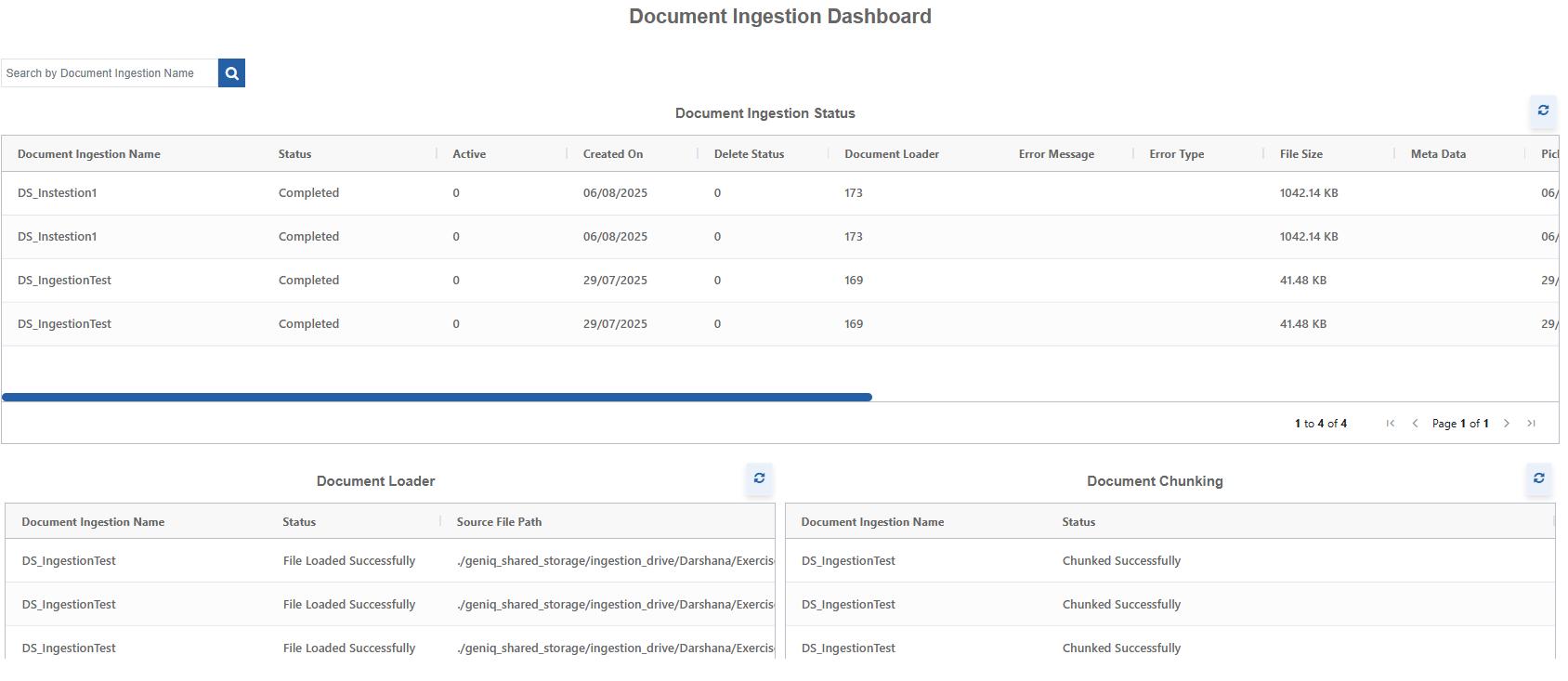
The details of Document Ingestion, Document Loader, Chunking, Embedding, and Vector store. appear in the grid format.
- To view updated details, click the refresh icon on top-right of each grid.
- To view all the details in the grid, scroll the horizontal scroll bar.
- The grid pagination allows you to scroll through the pages.
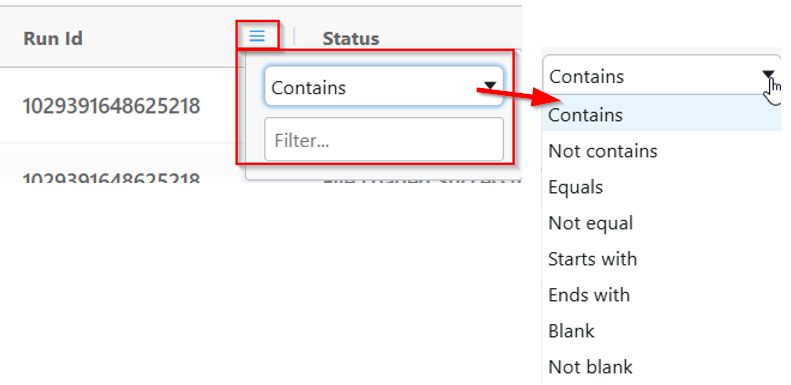
- To filter the contents on the grid, apply the filters on the header (hover over to view the filter). The Filter feature allows you to filter desired results based on filter criteria and filter text.
Document Ingestion Status
This grid displays the entire status and details of the document ingestion execution.
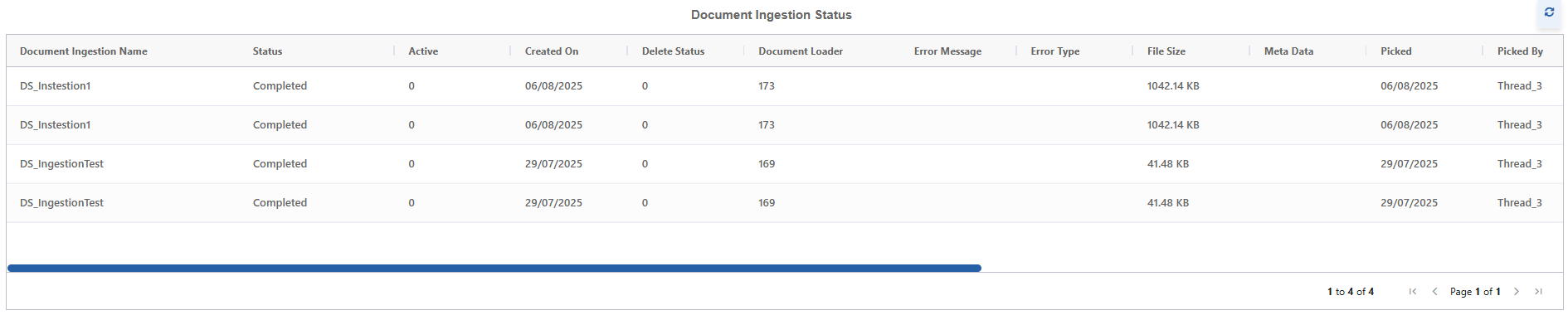
Document Ingestion Name: Name of the document ingestion that you created.
Status: The current state of the document ingestion execution.
- In Progress: Indicates that the document ingestion process is in progress.
- Completed: Indicates that the document ingestion process is completed and is ready for utilization.
- Failed: Indicates that the document ingestion process failed during execution.
- Not Started: Indicates that the document ingestion configuration is saved and ingestion process is not started.
Active: Operational status of the ingestion. 0 = Inactive and 1 = Active.
Created On: The date when the document ingestion record or job was created in the system.
Delete Status: Status of the deletion. 0 = record deleted and 1 = Not deleted.
Document Loader: The ID number corresponding to the specific loader component used to parse and extract text/data from the source file.
Error Message: Error message for any error encountered during the ingestion process.
Error Type: The type of error; e.g., File Not Found, Parsing Error, Vector Store Connection Error.
File Size: The size of the source file being ingested in KB.
Metadata: Additional descriptive information about the document or its ingestion process, often stored as a JSON object.
Picked: Date on which the ingestion job was picked up from the queue by an available worker thread for processing.
Picked By: The thread number of the process that picked the job for execution.
Retry Count: Indicates the retry count. This indicates how many times the ingestion process for this document has failed and been automatically retried by the system.
Source File: The original file name of the document being ingested.
Source File Path: The full path or URI indicating the exact location of the source document file.
Vector Store: number: The ID number corresponding to the specific vector database instance (e.g., Qdrant, Azure Cosmos DB) where the final generated embeddings for this document were stored.
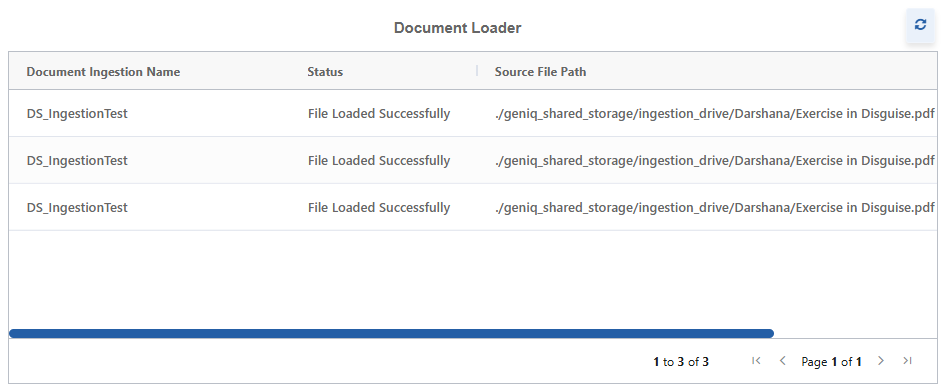
Document Loader
This grid displays the document loader status and source file path for the document ingestion.
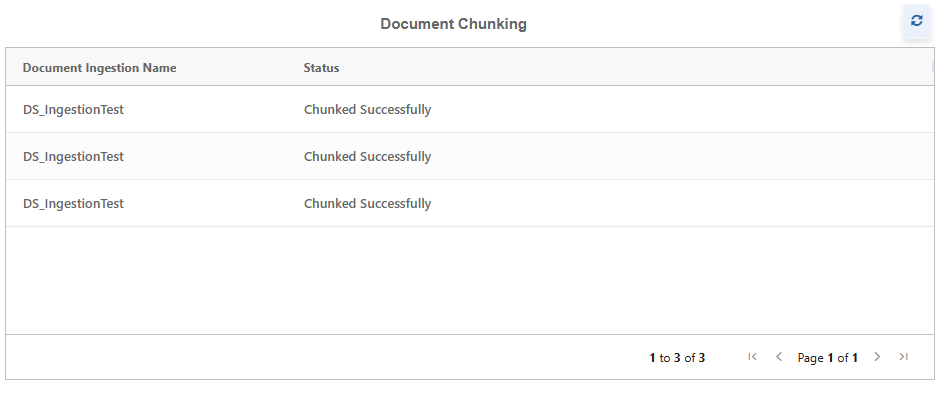
Document Chunking
This grid displays the document chunking status for the document ingestion.
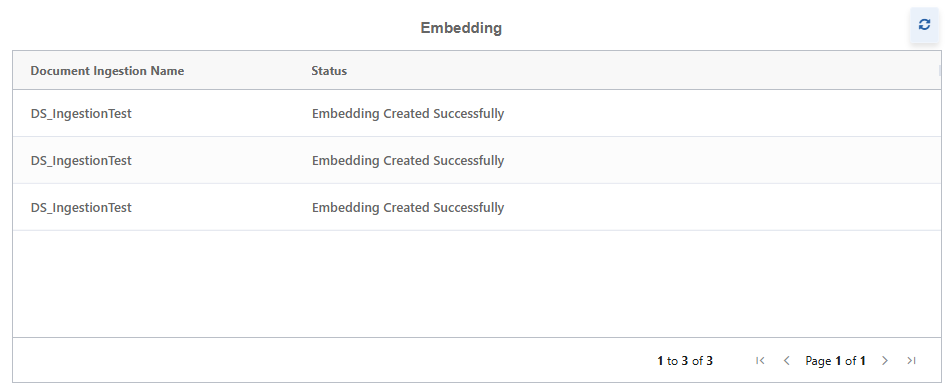
Embedding
This grid displays the embedding status for the document ingestion.
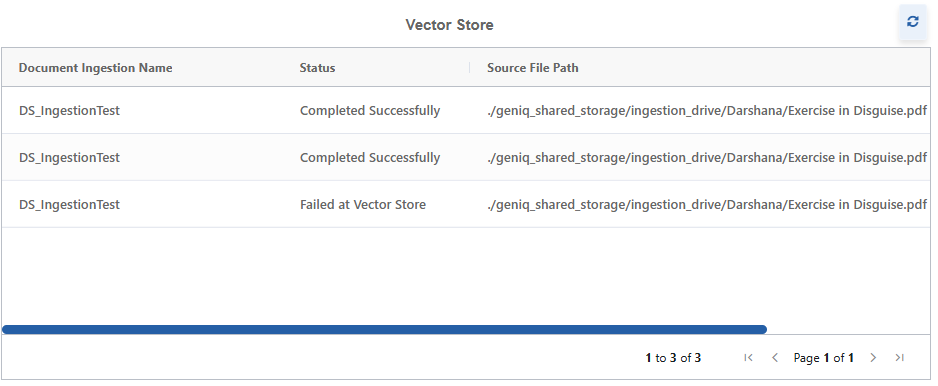
Vector Store
This grid displays the vector store status and source file path for the document ingestion.